Blue Weave
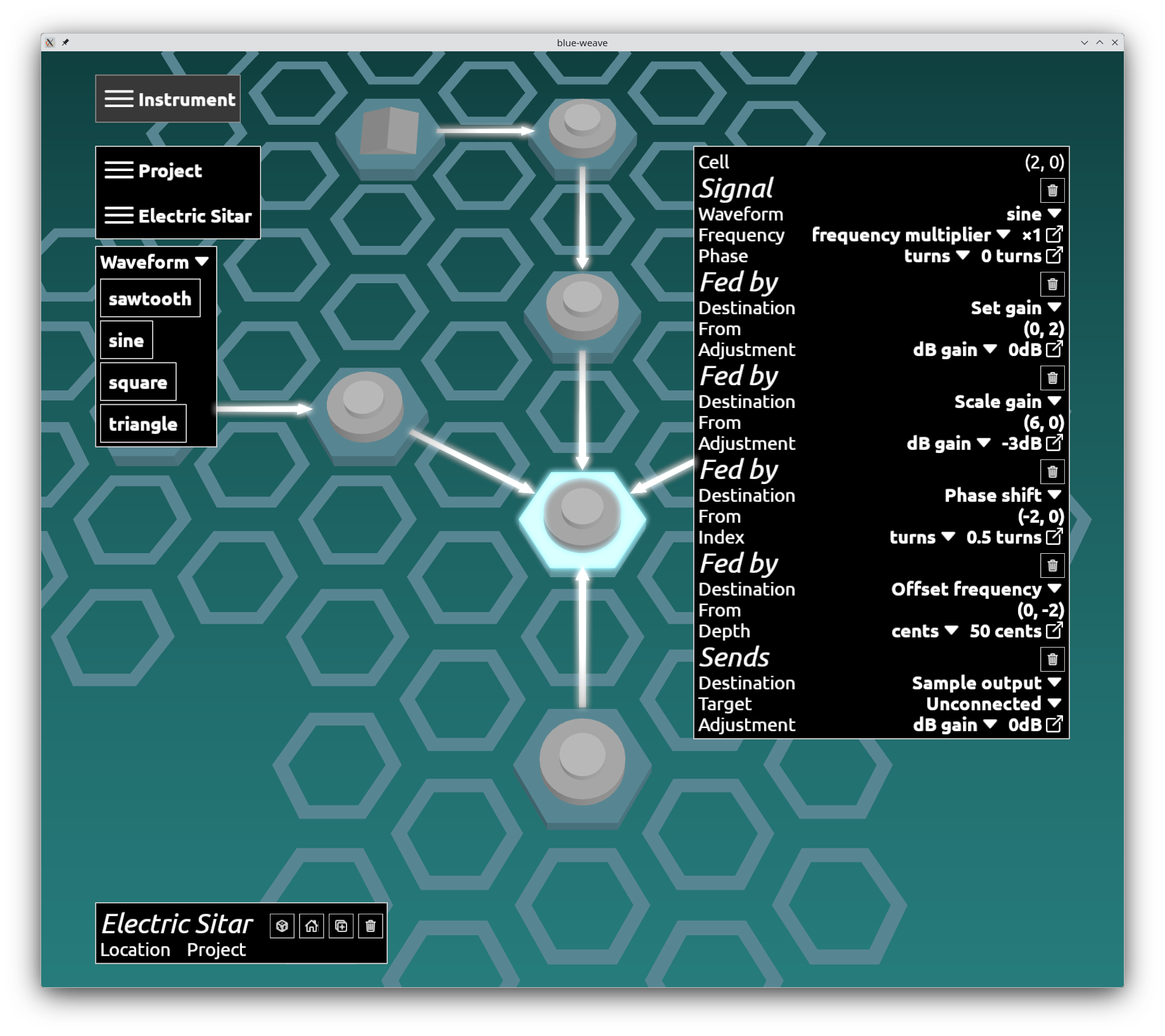
Blue Weave is a sound design sandbox: a synthesiser you build rather than one you buy. Not a panel of knobs somebody else arranged for you, but a box of parts and an empty hex grid. Put the parts down, wire them into each other, and the instrument is whatever you drew — no cables to untangle, and no menu of approved layouts to choose from.
A synthesiser makes sound out of arithmetic. No strings, no air, no recording of anything real — just numbers, worked out fast enough that a speaker can turn them into a bell, a bass line or a footstep. There are three classic ways to go about it. Additive stacks simple tones up until they add to a complicated one. Subtractive starts with something harsh and carves pieces out of it, which is the sweep you know from a thousand dance records. FM takes one tone and uses it to bend another, which sounds like nothing much right up until it's the electric piano on every ballad of the eighties. Most instruments pick one of the three and build the whole machine around it. Blue Weave lets you use all three at once in a single patch, because on the grid they aren't three different machines — they're just parts wired to other parts.
The famous FM synths came with a numbered chart on the front panel: a set of little pictures showing every way you were permitted to connect the parts together. You picked a number and then spent your evening typing values into it. That chart is most of why FM has a reputation for being impossible, because the sound you were after was usually the one the chart didn't have. Blue Weave throws the chart away and hands you the wiring. Any part can feed any other part, wherever it sits on the grid. The thirty-two layouts on that chart are a handful of the shapes you can draw here, and nothing stops you at the thirty-third.
You don't have to start from nothing. Patches come in the box, and not one of them is a sealed unit. Open one up, see how it was put together, move a wire, and it's yours. Sysex import arrives by 1.0 and brings the rest with it: forty years of DX7 patches, traded online by people who have been at this since before the grid existed, all of them landing on it as diagrams you can pull apart the same way.
Or start with a blank grid — you don't need to know any of this first. Wire a part somewhere silly and listen to what happens; that's how the parts teach you what they do, and it's a better teacher than any manual. The layouts that make sense are a small island in the middle of everything you could wire together, and most of the rest of it has never been visited.
The whole sound is one shape
A patch is a hex grid — not a rack, not a nest of cables. The grid is where the parts sit; what connects to what is entirely up to you, and any block can reach any other wherever it happens to be. Laying a patch out well is what turns it into something you take in at a glance rather than trace with a finger.
Place a block, wire it to another, hear it. That is the whole interaction. There's no patch language to learn and nothing to compile, and every edit undoes for free, so the way to find a sound is to break things and see what happens.
Keep the accidents. The best sound of an afternoon is often one you weren't looking for, stumbled into on the way to something else. One click saves it into your project, so you can carry straight on wrecking the patch and still have it waiting for you when you come back.
The instrument is in the wiring. What you place on the grid is the smaller half of it — everything else is how you connect it, and that is where the whole instrument lives. The parts list is growing into what the engine already models: envelopes you can share between blocks rather than duplicate, noise that is also sample-and-hold at whatever rate you set, buffers holding either a sample or a control curve you drew, pan to place a sound and move it while it plays, and splits that fan one source out to many, each branch at its own depth. Filters join them inside the graph, modulated like anything else, rather than bolted on at the end. 0.1 starts you with four waveforms and an envelope.
Wire a block's output back around into its own input and it becomes feedback, worked out for you. Three numbers shape it: how much comes back, which is just the gain the loop carries like any other connection; how far behind it comes back, which is a single sample unless you ask for more; and the window it averages over. Close the window down for crisp digital noise, open it up for warm, damped self-oscillation. The DX7 gave you the first and fixed the other two — here all three are yours, and it's where the strangest sounds are hiding.
You don't need any gear. Press the space bar and the patch plays — not a fragment of it, but the whole sound all the way out, because the patch itself decides how long the note is held and every envelope reaches its release. Bring a MIDI controller when you want to play it like an instrument.
For FM synth programmers
Cycles are legal. Wire a block's output back around to its own input and that is feedback, worked out for you. A loop always runs at least one sample behind — that is what makes a cycle resolvable rather than circular — and how much further behind is yours to set, because the delay line's length is a parameter like any other. There is no algorithm chart, because there is no fixed set of algorithms — the DX7's thirty-two are just thirty-two of the shapes you can draw.
Variable feedback damping, over an 𝑛 sample window. A feedback loop hands you three controls rather than one. The depth is the loop's own gain — feedback is a connection like any other, so it carries the same per-connection gain everything else does. The second is the distance: one sample is the floor, and the delay line runs as long as you make it. The third is the smoothing: the window sits on the feedback line itself, so dialling 𝑛 tunes self-modulation anywhere from crisp digital noise at a single sample down to warm, low-pass-damped self-oscillation as it widens. The DX7's two-sample average is one point on that range rather than the mechanism, and because only the fed-back signal passes through the window, forward FM arriving at the same operator is left untouched.
Depth lives on the wire. Every connection carries its own gain. How loudly a delivery arrives is a property of the delivery, not of how loudly the source plays, so one operator can modulate two others at different depths without a compromise between them.
Modulation is a verb, not a slot. Route a block into another block's phase, frequency or gain — and choose whether it sets, shifts or offsets on arrival. The difference is real: gain-set hands over continuously, so a tremolo that stops at the release segment holds its level rather than snapping back, while gain-shift integrates, which is what you want for a swell. Write a target's phase every time a master rotor wraps and you have hard sync; write it every sample and you have phase distortion.
Ordering is worked out, not imposed. Patches compile in reverse graph depth, so a modulator always lands before the thing it modulates and its delivery is honoured in the same sample. You never pay a block of latency for wiring something in the order that made sense to you. A cycle is the one thing that cannot be same-sample, and it isn't meant to be: a loop is at least one sample behind, which is precisely the job of the delay line sitting in it.
Blocks are scheduled against the envelope, not the clock. A block starts and stops at a point in a named envelope segment — the top of the decay, or only while the key is held. A short note that skips from attack straight to release correctly never fires a decay-scoped block.
Sustains that go somewhere. The envelope is not a standard ADSR: its sustain carries a gain change per sustain period that repeats for as long as the key is held, optionally bounded by a limit. Hold a key and the note can swell or trail off on its own, natively, with nothing else wired in.
For game developers
A patch can ship with your game. A patch is data rather than a rendering, so the patch itself goes in your build and the synth SDK plays it at runtime. The controls stay live while it sounds — your game drives them, so a single patch covers a range that would otherwise be a folder full of exported variations, and it costs you a few hundred bytes instead of a few megabytes. That's the SDK, and it arrives by 1.0; 0.1 gives you the export below.
Export what you just heard. The space bar and the export button are the same render: press one to audition, the other to keep it. FLAC when you want it lossless, OGG Vorbis when size matters, at whatever note you set. Work through the notes you need and you have a set.
It's built on a game engine. Blue Weave sits on the same Vulkan and SDL framework as our own games, and the synth is a library inside it rather than something bolted on top.
What you make is yours. Anything you play on Blue Weave is yours outright — audio you export, a take you record, a set you perform — to use however you want, commercially or not, with nothing owed and no credit required.
Coming in 0.1
- The hex grid, rendered in Vulkan, in a window you can put beside your DAW
- An editor — place blocks, connect any block to any other, delete, undo and redo
- FM synthesis by phase modulation
- Additive by summing signals into the output
- Four waveforms: sine, sawtooth, square and triangle
- Envelopes, placeable as parts in their own right, so an envelope can modulate another cell rather than only shaping it
- Delay and split — and with them true operator self-feedback, with all three of its parameters yours to set: the loop's own gain, the delay length from one sample up, and the 𝑛 sample window it averages over
- Nine delivery destinations covering the note's output plus the phase, frequency and gain of any block, and a tenth that fans a signal out through a split
- Live MIDI playback
- Export to FLAC or OGG Vorbis, through your system's own save dialog
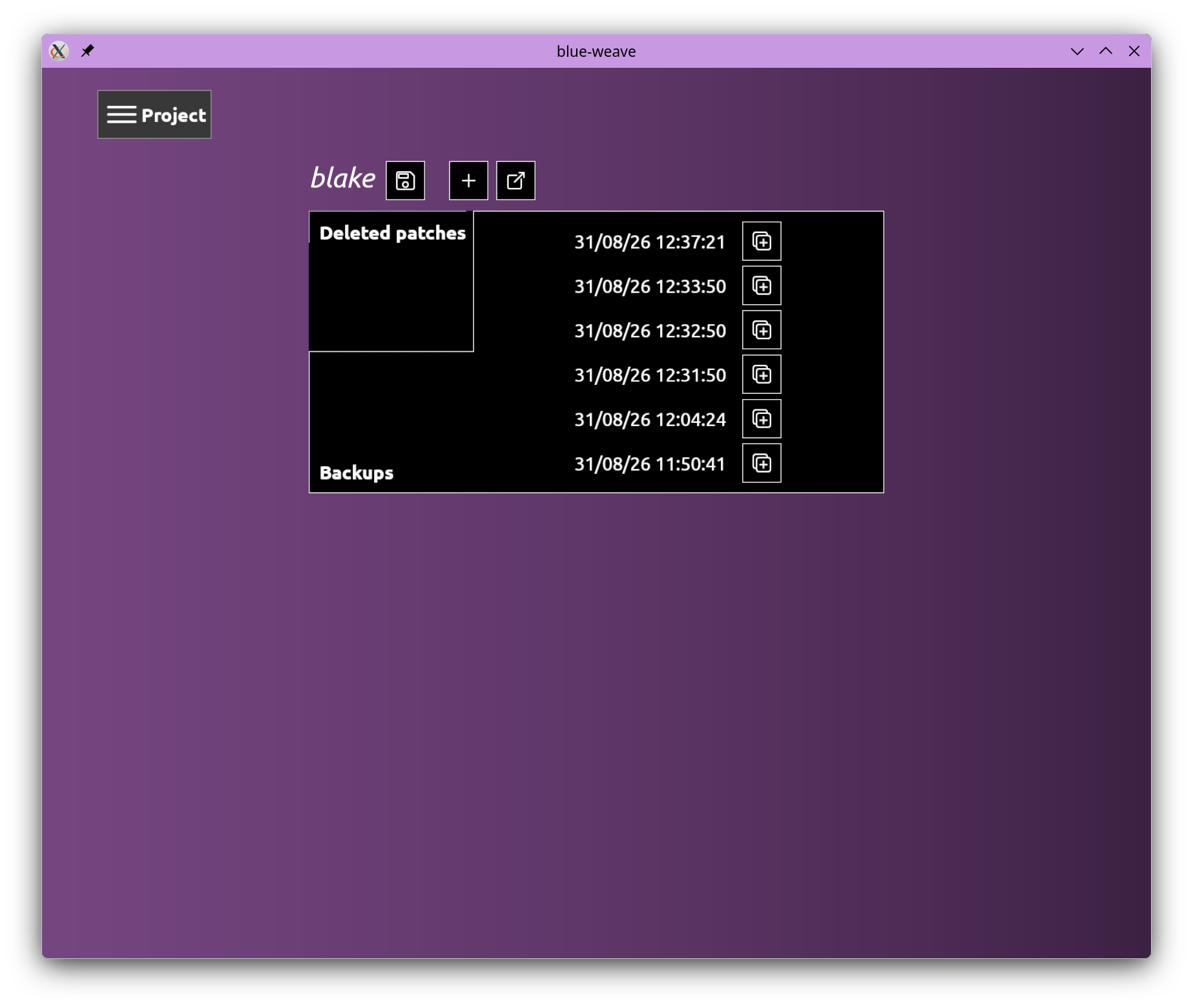
- Projects — save what you build and open it again
- Linux, Windows and macOS
- Eight built-in patches across two sets — the four bare waveforms, and four FM patches including an E-Piano and a bell built on DX7 and DX7 II algorithm topologies
What arrives by 1.0
- A library worth browsing — the patches in the box on day one are a starter set. By 1.0 there are enough of them, spread widely enough, that finding one already near the sound you're chasing is often the quickest way to get there
- Filters, and with them subtractive synthesis — the sweep everyone knows. Low pass, one pole, bell, gain and sine distortion are written and working; what they don't have yet is a home in the patch engine
- Pan — put a sound somewhere across the stereo field and move it while it plays
- DX7 and DX7 II sysex import — decades of existing patches as starting points, rather than something to retype
- Enveloped modulation depth, per connection — brightness that blooms and decays out of a single graph, instead of a fixed index
- Voice models, per patch — a single voice with a configurable frequency shift curve for melody lines, or polyphony with programmable limits and choke handling
- Custom tunings — microtuning adjustments, and Just and Pythagorean ratios
- An SDK — ship patches with your game and play them at runtime with the controls still live, rather than shipping audio you exported from them. The engine is already a library inside a game framework shipping with games
- A DAW plugin — Blue Weave as a VST in your session, so a patch is an instrument you play rather than a file you rendered first
Questions
Is this a VST or a DAW plugin? Not yet. Blue Weave is a standalone application today; the plugin arrives by 1.0, along with an SDK for embedding the synth in your own game. Further out is a service that takes a patch and compiles it into a plugin of its own.
What do I need to run it? Linux, Windows or macOS. Nothing else — the space bar plays whatever patch you're looking at, so you can do sound design with no hardware at all. Bring a MIDI controller when you want to play it like an instrument.
Can I build my own patches? Yes — that's what 0.1 is for. Place blocks on the grid, connect them however you like, and press space to hear it. Every edit undoes for free. The library that ships with it is still growing, so 0.1 suits you better if building from nothing sounds like the fun part rather than the chore.
Why hexagons? Hexagons are about layout, not routing — any block can connect to any other wherever it sits. But six directions instead of four give you far more ways to arrange a graph so the parts that talk to each other end up near each other, and that is what makes a patch readable as a shape rather than a diagram you have to trace. It also means no cables.
Is it a DX7 clone? No. It shares the mechanism — phase modulation — and it can draw the DX7's algorithms, because it can draw any graph. It isn't limited to them, modulation depth belongs to each connection rather than to the operator, and any block can modulate frequency and gain as readily as phase.
Can I use the sounds in my game? Yes. Export any patch to FLAC or OGG Vorbis at whatever note you want — build a set, export it, drop it in. Anything you play on Blue Weave is yours.